The print-on-demand (POD) and sublimation crafting industries are growing faster than ever. Millions of digital artists, Etsy shop owners, and independent brands compete daily for customer attention. In this visual marketplace, high-converting product photography is the single most important factor driving sales. For creators specializing in custom drinkware, finding a free 20oz tumbler wrap mockup generator without subscription models is the ultimate goal.
For years, e-commerce sellers relied heavily on web-based platforms like Smartmockups and Placeit. However, these browser tools have changed their business models. They increasingly lock high-resolution, watermark-free exports behind expensive monthly subscription paywalls. Furthermore, traditional Adobe Photoshop smart objects require technical design skills and expensive software licenses.
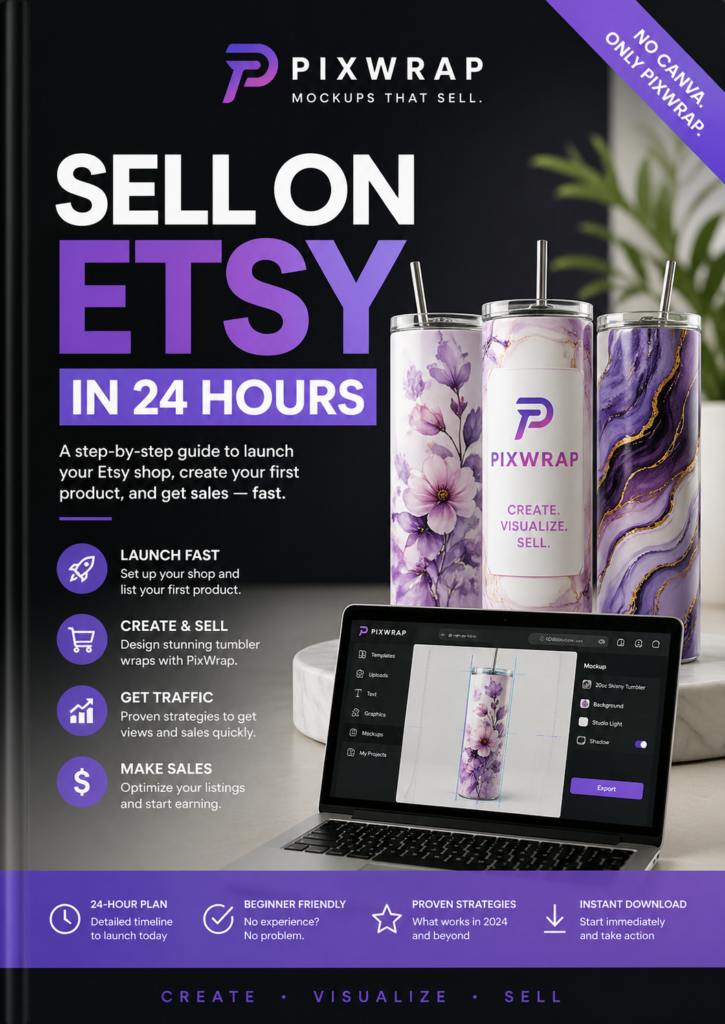
Fortunately, a major shift is happening toward localized desktop software. PixWrap is a powerful, completely free offline desktop application built specifically for Windows. It is designed precisely to handle the complex requirements of 3D drinkware and wrap generation without any hidden subscription fees.
This comprehensive, search-optimized guide explores why PixWrap has emerged as the premier free 20oz tumbler wrap mockup tool. We will cover the technical challenges of cylindrical design mapping, analyze key system features, and provide a step-by-step production workflow.
Why 20oz Tumbler Mockups Present Unique Technical Challenges
Creating a realistic preview for a t-shirt or a flat piece of wall art is relatively simple. However, mapping a two-dimensional graphic onto a 3D cylindrical container like a 20oz skinny tumbler introduces severe optical distortions.
- Edge Distortion: When a rectangular flat image is wrapped around a curved surface, the outer boundaries naturally compress and warp. This causes logos, text, and geometric patterns to look unnaturally skewed.
- The Seam Alignment Dilemma: To create a truly professional presentation, the left and right edges of a full-wrap design must match seamlessly along the back seam. Standard photo editors cannot preview this continuity in 3D.
- Tapered vs. Straight Profiles: 20oz tumblers come in two major styles: perfectly straight cylinders and tapered shapes. A tapered tumbler requires complex graphic warping so that horizontal lines remain perfectly level when wrapped.
A dedicated local application like PixWrap solves these mathematical challenges automatically. The software uses your computer’s native hardware processing power to calculate exact surface coordinates. This wraps your flat PNG or JPG artwork around digital tumbler models instantly and accurately.
[ Flat 2D Rectangular Design ] ──> [ PixWrap Coordinate Engine ] ──> [ Seamless 3D Tumbler Preview ]
The Advantages of Desktop Software Over Cloud Tools
Web-browser mockup builders are highly convenient for casual editing, but they come with significant drawbacks for professional sellers. Moving your design workflow to a local desktop application like PixWrap offers three major competitive advantages:
1. Absolute Data Privacy and Security
When you use a cloud-based web generator, you must upload your original, high-resolution artwork to a third-party corporate server. For independent artists selling proprietary, trending graphics, this introduces a major risk of digital piracy and data scraping. Because PixWrap runs entirely on your local Windows PC, your files never leave your storage drive. This guarantees complete intellectual property protection.
2. Native 300 DPI Export Fidelity
To rank highly on search engine result pages and e-commerce platforms, your product listings must be razor-sharp. Most free tiers of web-based generators compress output files to 72 DPI or 96 DPI to save on server bandwidth. PixWrap utilizes your computer’s local processor to deliver uncompressed, print-standard 300 DPI image exports. This level of detail keeps your listings clean and professional, even when customers zoom in closely.
3. Freedom from Subscription Paywalls
Most modern design tools lock their best templates and highest-resolution downloads behind recurring monthly subscription fees. PixWrap uses an entrepreneurial-friendly freemium business model. The core application engine and an extensive collection of base templates are completely free to download and use forever. There are no mandatory monthly fees, no watermarks, and no forced registration forms. If your shop expands into ultra-niche commercial lines, you can purchase premium templates individually on an a la carte basis. This means you only pay for the exact visual assets your business requires.
Fact Check: Clearing Up the Batch Generation Myth
When researching the best alternative design tools online, it is easy to find conflicting information on review blogs and forums. To ensure a smooth workflow, it is important to understand exactly how the software handles files:
⚠️ System Reality Check: Single-Design Workflow Only
Several online review sites and third-party tutorials mistakenly claim that this software features automated mass batch or bulk generation. This is factually incorrect.
PixWrap is designed around an explicit, highly focused single-design configuration workspace. Every design asset must be imported, scaled, and adjusted on its respective model template manually. While the user interface is streamlined to let you finish a mockup in just a few clicks, it does not support bulk automation where hundreds of files can be processed simultaneously with one click.
Key Creative Features in the PixWrap Editing Suite
The software provides an intuitive visual editor that gives you real-time feedback on your design adjustments. This allows you to bypass complex professional editing suites entirely.
Real-Time Lighting and Reflection Sliders
A flat design pasted onto a cup looks fake if it lacks natural lighting. The app includes interactive adjustment sliders to fine-tune the look:
- Specular Highlights: Simulates how light reflects off different materials, allowing you to match glossy ceramic, matte stainless steel, or textured glitter finishes.
- Shadow Control: Blends the artwork naturally into the deep curves and edges of the cylinder.
- Opacity and Blend Modes: Helps merge your design textures directly with the underlying product material for a realistic finish.
Dedicated Full-Wrap Output Options
Many generic mockup platforms only let you place a small square logo on the front of a cup. This application is explicitly built for full-wrap printing methods. It generates a clean 3D lifestyle preview for your online storefront alongside an accurate flat wrap template layout. This layout can be sent straight to your sublimation printing hardware or print-on-demand fulfillment partner.
Step-by-Step Guide: How to Generate a Free 20oz Tumbler Mockup
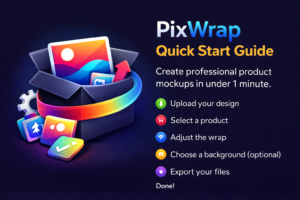
[ Step 1: Drop Artwork ] ──> [ Step 2: Select 20oz Model ] ──> [ Step 3: Adjust Sliders ] ──> [ Step 4: Export 300 DPI ]
Step 1: Import Your Graphic Asset
Launch the program on your desktop. Drag your target design file (preferably a high-resolution PNG or JPG scaled to standard 20oz tumbler dimensions) directly into the workspace canvas.
Step 2: Choose the 20oz Tumbler Template
Navigate through the template library sidebar. Select the specific drinkware configuration that matches your physical inventory (such as a straight 20oz skinny stainless steel tumbler).
Step 3: Customize the Scene and Realism
Use the position and scale sliders to seat the artwork perfectly around the cylinder. Adjust the reflection layers to match your product’s real-world finish, and choose a clean studio background from the built-in scene library.
Step 4: Export Your High-Resolution Image
Click the export function to save the project directly to your computer. The software generates a watermark-free, high-resolution product showcase image that is completely ready to upload to Etsy, Shopify, or social media platforms.
Summary and Final Verdict
| Feature | Subscription-Based Cloud Web Apps | PixWrap Desktop Application |
|---|---|---|
| Pricing Model | High Recurring Monthly Fees | Free Engine & Base Templates |
| Watermarks | Present on Free Tiers | 100% Watermark-Free |
| Data Safety | Uploads to Third-Party Cloud Servers | 100% Offline Local Security |
| Output Resolution | Low Resolution on Free Tiers | High-Fidelity 300 DPI |
| Design Flow | Server-Dependent Upload/Load Times | Instant Local Hardware Rendering |
For e-commerce creators who want to cut down on overhead costs, shifting to a local desktop program is a smart move. While high-volume design agencies might miss automated bulk batch processing, PixWrap provides a reliable, powerful, and private alternative for independent sellers.
By combining uncompressed 300 DPI exports, real-time lighting adjustments, and a zero-subscription pricing model, it delivers a great workflow for custom drinkware creators. Head over to the official website to download the tool and start upgrading your product photography today.
To help optimize this setup for your specific store, let me know:
- The exact dimensions or pixel layouts you use for your tumbler designs.
- If you need tips on setting up lighting adjustments for different finishes like matte or metallic.
- Whether you want advice on organizing your export files for your e-commerce listings.